20 to 30 Inch Widescreen LCD Monitors |
Previous  Next Next |
Last Updated: September 7, 2008
Today's Summary by Monitor Size
22 Inch: 1680×1050 resolution, 16:10 ratio.
24 Inch: 1920×1200 resolution, 16:10 ratio, view 1080 HD video at full size.
30 Inch: 2560×1600 resolution, 16:10 ratio, huge.
Tomorrow's Summary by Monitor Size
19 Inch: 1440×900 resolution, 16:9 ratio.
24 Inch: 1920×1080 resolution, 16:9 ratio, view 1080 HD video at full size.
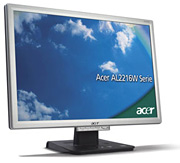 |
Today's Best Choice - 22 Inch, Great ValueThe Acer AL2216Wbd comes in all black (black and silver pictured), offers 1680×1050 resolution, 700:1 contrast ratio, 300 cd/m2 in brightness, 170 degree horizontal and 160 degree vertical viewing angle, 5 millisecond response time, tilt adjustments (no swivel/height/pivot), analog VGA and digital DVI inputs, and 3 year warranty. This monitor requires a video card made in 2006 or later to support the 1680×1050 resolution. Read owner reviews from NewEgg.com (over 1,700 reviews, 5/5 stars). Buy it for $220. |
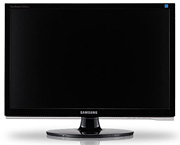 |
Today's Best Choice - 22 Inch, StylishThe Samsung 2253BW offers 1680×1050 resolution, 1,000:1 contrast ratio, 300 cd/m2 in brightness, 170 degree horizontal and 160 degree vertical viewing angle, 5 millisecond response time, tilt/swivel adjustments (no height/pivot adjustments), analog VGA and digital DVI inputs, and 3 year warranty. The glossy frame and curves make it more elegant than the Acer model above. This monitor requires a video card made in 2006 or later to support the 1680×1050 resolution. Read owner reviews from NewEgg.com (about 400 reviews, 5/5 stars). Buy it for $270. |
The section below is a year old and will be updated soon. The 30 inch monitor recommendations are current though.
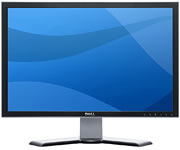 |
Today's Best Choice - 24 Inch, The BestThe Dell UltraSharp 2407WFP-HC 24-inch wide aspect flat panel LCD monitor offers 1920×1200 resolution, 1000:1 contrast ratio, 450 cd/m2 in brightness, 178 degree horizontal and vertical viewing angle, 16 millisecond response time (black-white-black), 6ms response time (gray to gray), tilt/height/swivel/pivot adjustments, analog VGA and digital DVI inputs, 9-in-2 memory card reader, and 4 USB ports. It has a 92% color gamut, which means 92% of all of the colors displayed are within a set tolerance (Delta E < 1). 92% is significantly above average. Buy it for $680. |
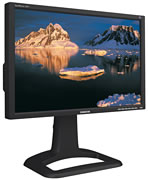 |
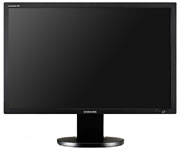
Today's Best Choice - 24 Inch, Close SecondThe Samsung 244T 24-inch wide aspect flat panel LCD monitor offers 1920×1200 resolution, 1000:1 contrast ratio, 500 cd/m2 in brightness, 178 degree horizontal and vertical viewing angle, 8ms response time (gray to gray), tilt/height/swivel/pivot adjustments, analog VGA and digital DVI inputs, 3 year warranty, 2 USB ports, and is TCO '99 certified. Read a review from owners at NewEgg (over 120 reviews, 5/5 stars), Bona Fide Reviews (Aug 2006), Be Hardware (July 2006). Buy it for $690. |
 |
Today's Best Choice - 30 InchThe Samsung SyncMaster 305T is a 30 inch wide aspect flat panel LCD monitor that offers 2560×1600 resolution, 1000:1 contrast ratio, 400 cd/m2 in brightness, 178 degree horizontal and vertical viewing angle, 6 millisecond response time, tilt/height/swivel adjustments, 4 USB ports, and 3 year warranty. Trusted Reviews said it performs superbly on photos using Photoshop. The screen pulls out the detail in low light areas, but not at the expense of the black levels or vibrance. The video card must be able to support "dual-link" DVI. Read a review from an owner at NewEgg (over 70 reviews, 5/5 stars), Trusted Reviews (May 2007). Buy it for $1,230. |
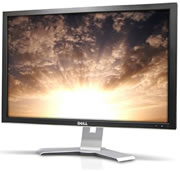 |
Today's Good Choice - 30 InchThe Dell UltraSharp 3007WFP-HC 30 inch wide aspect flat panel LCD monitor offers 2560×1600 resolution, 1000:1 contrast ratio, 300 cd/m2 in brightness, 178 degree horizontal and vertical viewing angle, 12 millisecond response time, tilt adjustment (no height or swivel adjustment), DVI-D (dual link) with HDCP inputs. It has a 92% color gamut, which means 92% of all of the colors displayed are within a set tolerance (Delta E < 1). 92% is significantly above average. The video card must be able to support "dual-link" DVI. Read a review from Trusted Reviews (July 2007), Hexus (July 2007). Buy it for $1,200. |
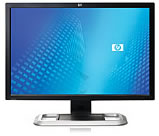 |
Today's Good Choice - 30 InchThe HP LP3065 is a 30 inch wide aspect flat panel LCD monitor that offers 2560×1600 resolution, 1000:1 contrast ratio, 300 cd/m2 in brightness, 178 degree horizontal and vertical viewing angle, 12 millisecond response time, tilt/height/swivel adjustments, three DVI-D (dual link) inputs, and 3 year warranty. It has a 92% color gamut, which means 92% of all of the colors displayed are within a set tolerance (Delta E < 1). 92% is significantly above average. The video card must be able to support "dual-link" DVI. Read a review from an owner at NewEgg (13 reviews, 4/5 stars), Trusted Reviews (July 2007), HotHardware (Feb 2007), MacWorld (Feb 2007), ExtremeTech (Dec 2006). Buy it for $1,270. |
Windows Vista Certification and HDCP
Windows Vista Certification means two things. First it means the monitor will work flawlessly with Windows Vista. That's a no-brainer. The other is that the monitor includes HDCP (High-bandwidth Digital Content Protection) to restrict viewing of illegal copies of Blu-Ray and HD-DVD movies. HDCP is a type of Digital Rights Management (DRM) that is built into the video driver software and/or the hardware in the monitor. Almost all LCD monitors made through 2006 do not include HDCP and therefore you can't watch Blu-Ray or HD-DVD movies on those monitors. Most monitors 24 inches and larger don't include HDCP and therefore are not Vista certified.
Two to Six Panel LCD Display
CineMassive uses custom software and a custom LCD monitor stand to make two, three, four, five or six panel LCD arrays in a variety of different layouts and different sized screens. Unfortunately, they don't sell the software or LCD monitor stand separately. They cost about double of what the LCD monitors cost. If you're interested in this setup, please verify the video card requirements. Photo courtesy of Gizmodo.
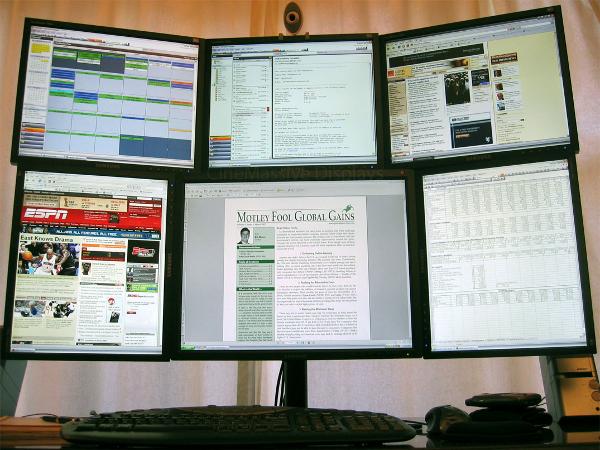
Top row: three 17 inch monitors in landscape. Bottom center: 21 inch 1600×1200. Bottom left and right: 17 inch in portrait mode.
One Wide Screen or Two 17 Inch LCDs?
All video cards can accommodate two monitors to use as one widescreen. One widescreen monitor looks better than two monitors trying to act like a widescreen, but two monitors offer more screen real estate space. A 20 or 22 inch widescreen has 1680×1050 = 1.76 megapixels while two 17 or 19 inch monitors have 1280×1024×2 = 2.62 megapixels. A 24 inch monitor has 1920×1200 = 2.3 megapixels. A 30 inch monitor has 2560×1600 = 4.1 megapixels. The six monitors above have a total of 8.47 megapixels.
The two 17 inch LCDs offer one distinctive advantage of being able to maximize a window in each monitor without any fuss. Just drag an application from one screen to the next and click on the maximize button. In order to see two applications side by side on a wide screen, you have to carefully resize both windows and position them on the screen. It's a bit more time consuming.
24 to 30 Inch Monitors are BIG
Everyone who has worked on a monitor this big always comments how they love it. The icons at the bottom of the screen help bring the size into perspective.
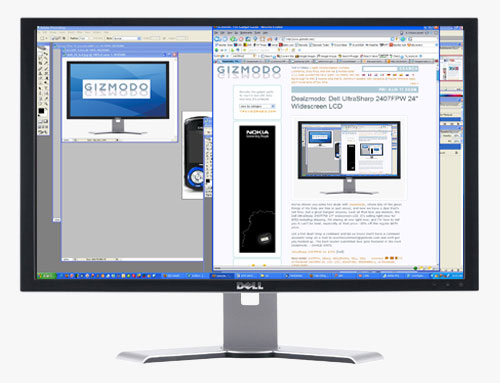
24 inch Dell 2407WFP courtesy of Gizmodo.

30 inch HP LP3065 courtesy of HotHardware.